
Security and integrations
2FA, SSO, SCIM, API keys, MCP, authorized apps, and external integrations.
Security and integrations decide which systems, services, and identities can reach the organization. Treat every connection as access. Name an owner. Scope it tightly. Review it on a schedule.
This page covers personal account security first, then organization-wide security, then programmatic access (API keys, MCP), then external integrations.
Account security
Account security belongs to the signed-in operator. Open User settings → Account.
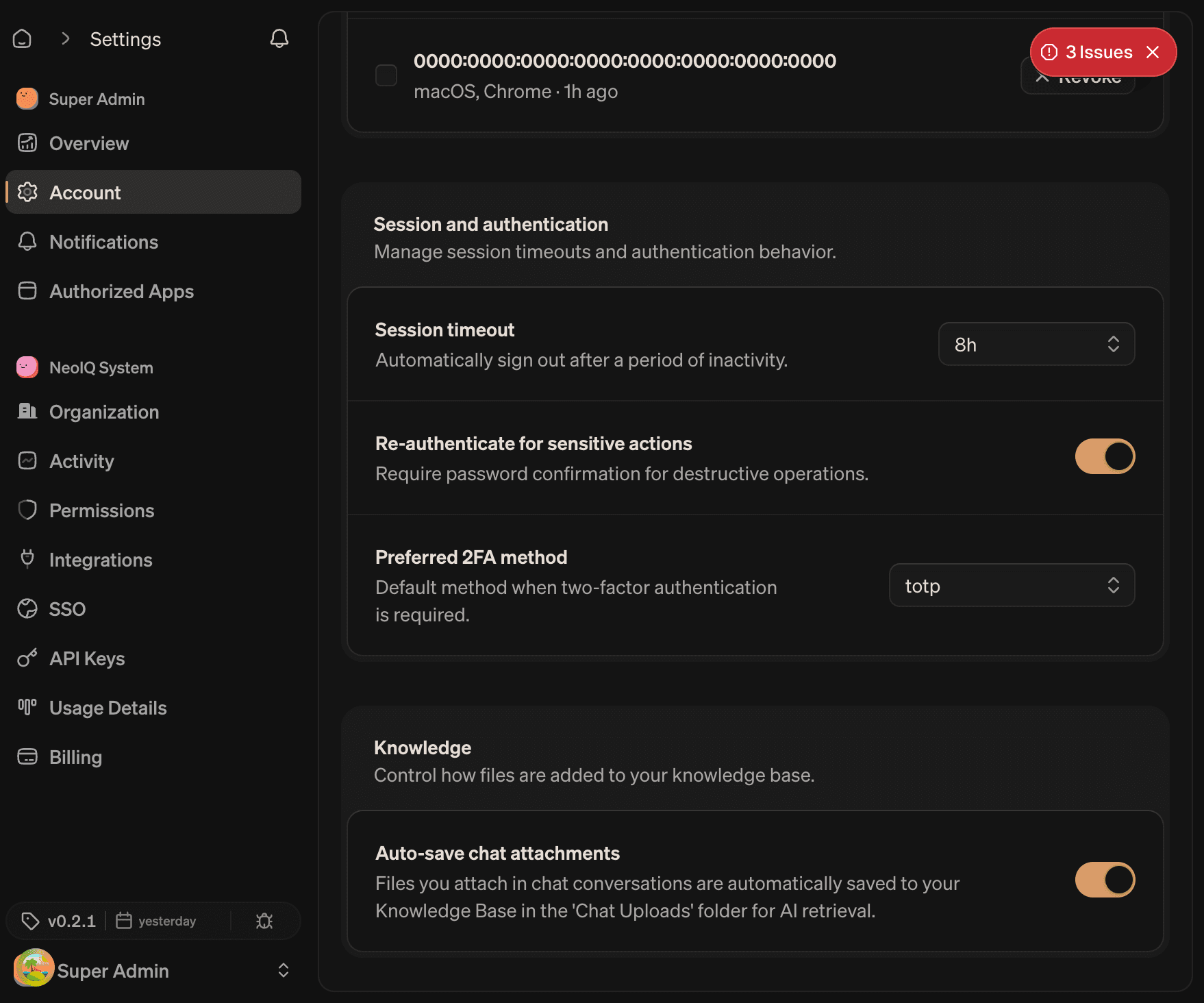
Two-factor authentication
Two-factor authentication adds a second verification step for sign-in. NeoIQ supports TOTP authenticator apps and backup codes.
The setup flow has four steps:
- Verify password. Confirm the current account password.
- Scan the QR code. Open Google Authenticator, 1Password, Authy, or another TOTP app. Scan the code or paste the secret.
- Enter the six-digit code. Confirm the authenticator is paired.
- Save backup codes. A set of single-use backup codes is generated. Store them outside the password manager that holds the primary password.
After 2FA is on:
- Sign-in requires a fresh code from the authenticator app.
- Sensitive actions (delete organization, rotate API keys) ask for re-authentication when configured.
- Backup codes can replace the authenticator if a device is lost. Each backup code can be used once.
To disable 2FA, the account password is required. Disabling 2FA weakens account security; do not disable on a shared account.
Connected sign-in providers
The account can be linked to external sign-in providers (Google, GitHub, and other supported identity providers).
Each provider row supports:
- Link. Connects the provider to the current account.
- Unlink. Removes the link.
- Last used. When the provider was last used to sign in.
The last sign-in method on the account cannot be unlinked. Add a password or another provider before unlinking the only sign-in method.
Authorized apps
Authorized apps are third-party OAuth clients that received approval to act on behalf of the account. Open User settings → Authorized Apps to view and manage them.
Each row shows:
- App name and icon.
- Granted scopes. What the app can read or write.
- Last access. The most recent token use.
- Revoke. Removes the authorization. The app must reauthorize to regain access.
Review authorized apps when:
- A vendor relationship ends.
- The app changes ownership.
- A security review asks which apps can reach NeoIQ.
- A teammate leaves the organization.
Remove apps that no longer have a named owner.
Sessions
The Sessions card lists active sign-in sessions across devices. Each row shows the device, browser, location, and last-activity timestamp. Use Sign out on a row to end a single session, or Sign out everywhere to end every session except the current one.
Organization security
Organization security covers identity providers, provisioning, and authentication policy. Open Organization settings → SSO.
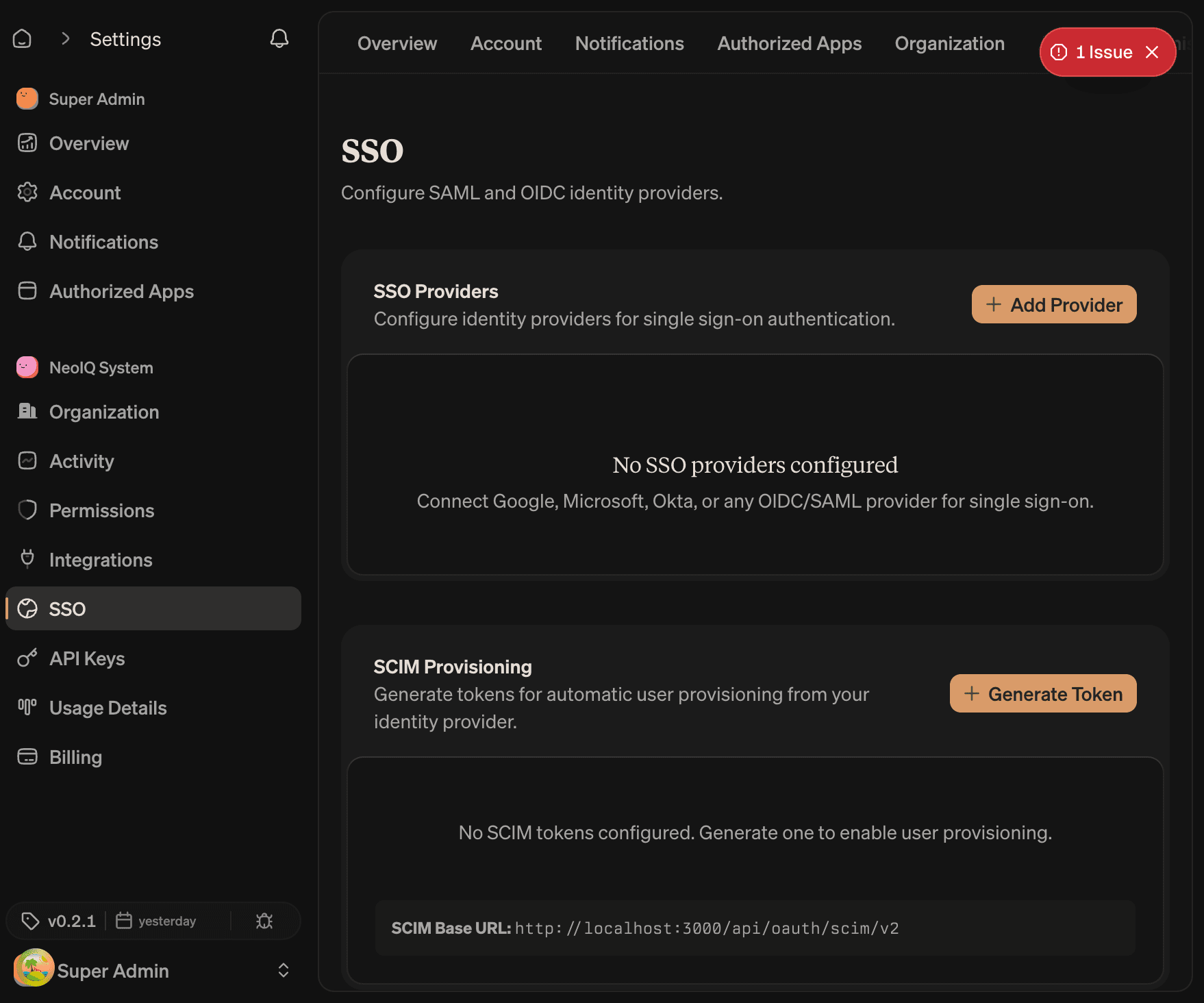
SSO providers
Single sign-on connects the organization to an identity provider (IdP). NeoIQ supports two protocols.
| Protocol | Use it for |
|---|---|
| OIDC | Modern identity providers (Okta, Azure AD, Google Workspace, Auth0, Authentik). |
| SAML 2.0 | Enterprise identity providers using SAML assertions. |
Open Add provider to start. The dialog has a tab for each protocol.
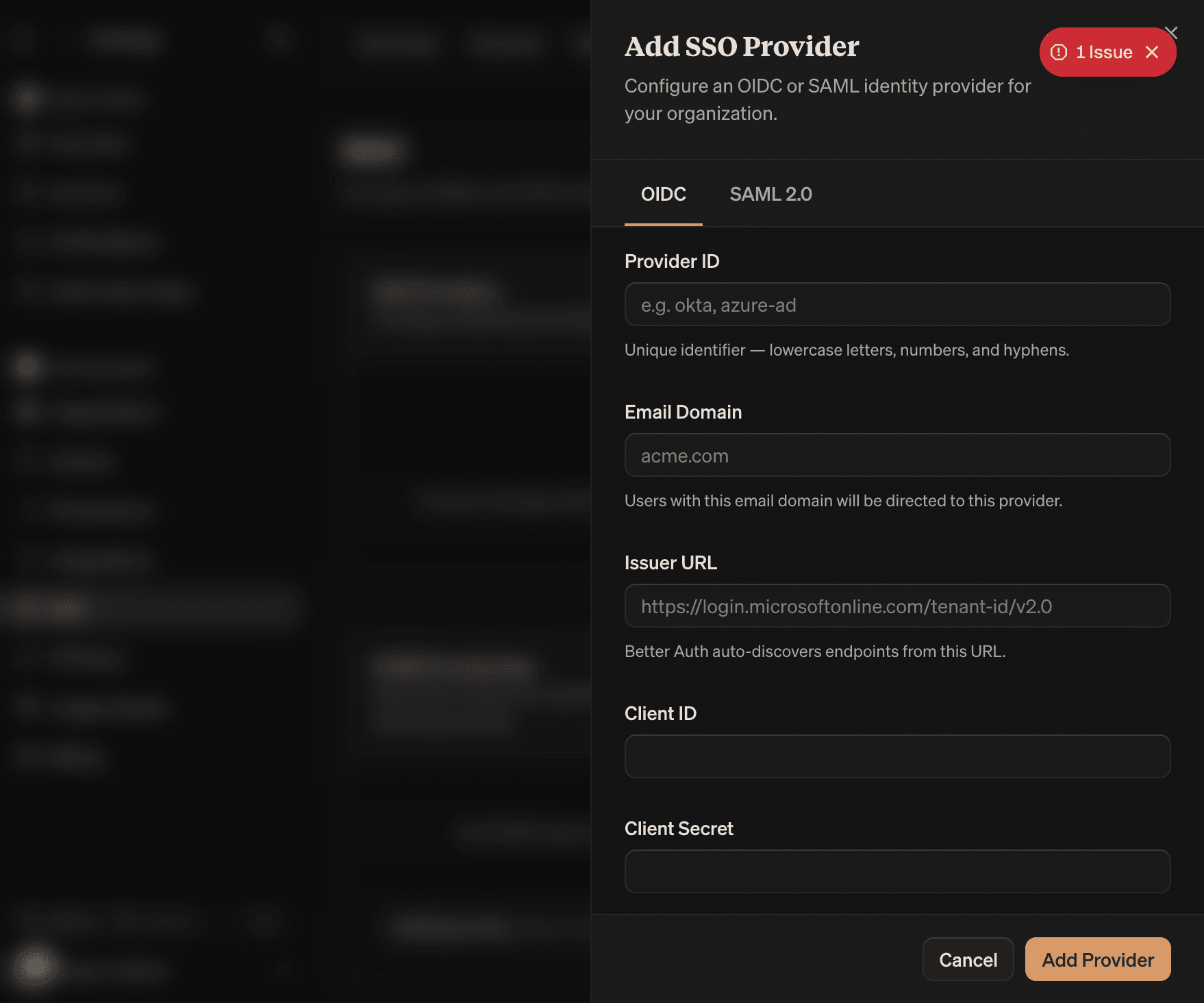
OIDC fields
| Field | What to enter |
|---|---|
| Provider ID | A short identifier used in the SSO URLs. Lowercase, no spaces. |
| Domain | The email domain that will use this provider, e.g. acme.com. |
| Issuer | The OIDC issuer URL from the IdP. |
| Client ID | The OIDC client ID issued by the IdP. |
| Client Secret | The OIDC client secret. Stored encrypted on the organization. |
SAML fields
| Field | What to enter |
|---|---|
| Provider ID | Short identifier for the SSO URLs. |
| Domain | The email domain that will use this provider. |
| Entity ID/Issuer | The SAML entity identifier from the IdP metadata. |
| Entry point URL | The IdP's SSO endpoint URL. |
| Certificate | The full PEM certificate from the IdP, including BEGIN/END headers. |
Domain verification
Each provider is bound to one or more email domains. Domain verification proves the organization controls the domain before SSO is allowed for accounts at that domain.
The verification dialog provides a TXT record. Add the record to the domain's DNS, then return to the dialog and click Verify. The check usually completes in under a minute; DNS propagation can take longer.
A provider stays inactive until the domain is verified.
Role mapping
Role mapping rules translate IdP claims into NeoIQ organization roles. Each rule has:
- Claim path. The location of the value in the IdP token (e.g.
groups,roles). - Match value. The value that triggers the rule.
- Mapped role. The organization role to assign when the rule matches.
- Priority. Rules are evaluated top-down. The first match wins.
Use role mapping to keep IdP groups in sync with NeoIQ roles. A common pattern: map an IdP group neoiq-admins to the Admin role, neoiq-billing to Billing, and a default rule that maps everyone else to Member.
SCIM provisioning
SCIM lets the IdP create, update, and deprovision NeoIQ accounts automatically. SCIM is available on plans that include identity provisioning.
The SCIM Tokens section issues bearer tokens for the IdP to authenticate against the SCIM endpoint. Each token has:
- Name. Used for tracking which IdP holds the token.
- Token. Shown once on creation. Cannot be retrieved again.
- Last used. The most recent SCIM call.
- Revoke. Removes the token immediately.
When SCIM is on, member changes from the IdP override manual edits in NeoIQ. Removing a member from a synced IdP group removes the member from the organization.
Before enabling SSO
- Confirm the IdP owner.
- Confirm the allowed email domains.
- Test the provider with one admin account before broad rollout.
- Keep one break-glass owner outside the SSO path until access is verified end to end.
- Document the role-mapping rules for the IdP team.
API keys
Open Organization settings → API Keys.
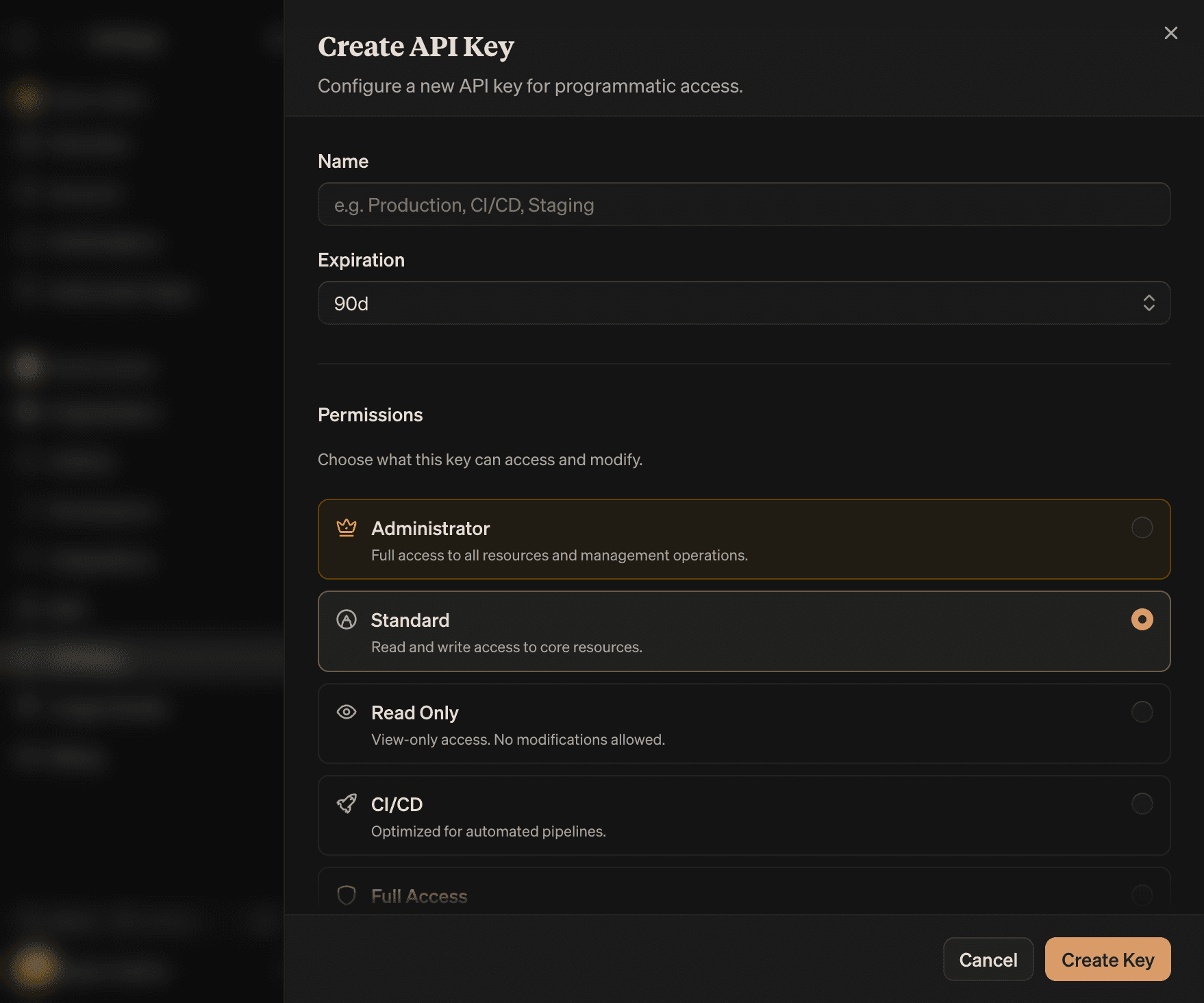
API keys grant programmatic access to organization resources. Each key has a name, a permission set, an expiration, and an optional project binding. Keys are shown in full only once at creation; the dashboard shows the prefix only.
Lifecycle
| Step | What happens |
|---|---|
| Create | A token starting with neoiq_… is generated. Copy it now; the full value is not shown again. |
| Use | Send the token in the Authorization: Bearer header on API requests. |
| Rotate | Create a new key, switch the consumer, then revoke the old key. |
| Revoke | One click. The token is invalidated immediately. The consumer fails on the next request. |
Required fields
| Field | Constraint |
|---|---|
| Name | A short, descriptive name. Shown in the keys table and audit log. |
| Expiration | One of: 30 days, 90 days, 6 months, 1 year, no expiration. Default 90 days. |
| Permissions | A preset, or a custom matrix. |
| Project binding | All projects, or specific projects. |
Permission presets
Six presets ship with API keys. Pick the closest preset, then edit if needed.
| Preset | Use it for |
|---|---|
| Administrator | Full access to all resources and management operations. Equivalent to admin role. |
| Standard | Read and write access to core resources (projects, campaigns, content, AI). |
| Read Only | View-only across resources. No mutations. |
| CI/CD | Optimized for automated pipelines. Read on most resources, write on campaigns and content. |
| Full Access | All resource permissions, no admin operations. |
| Custom | Fine-grained control. The matrix opens for editing. |
The Standard preset is a safe default for most application integrations. Read Only is the right choice for analytics dashboards and read-only widgets. CI/CD matches the shape of build pipelines that publish content.
Custom permissions
Selecting Custom opens the permissions editor. The editor shows a matrix of resources × actions. Toggle the cells the key needs.
Resources that can be granted to an API key:
- Work resources.
project,campaign,content,catalog,template,asset. - AI resources.
ai,ai_task,scheduled_task. - Brand resources.
brand,brand_voice,brand_style,brand_guardrail,brand_channel,brand_block,brand_layout. - Collaboration.
review,comment,context,persona. - Reporting.
analytics,audit_log. - Programmatic.
api_key.
Admin-only resources (role, setting, sso, scim, oauth_client, mcp) are not grantable to API keys. Those actions stay in the dashboard.
Project binding
| Binding | Effect |
|---|---|
| All projects | The key has access across every project in the organization. |
| Select projects | The key is scoped to one or more specific projects. |
Use Select projects for keys that should not see other client work. The selection list shows every project the current operator can manage.
Created key panel
When a key is created, the panel shows:
- The full token, once.
- A Copy button.
- The token prefix, used for identification later.
- A reminder that the token will not be shown again.
Save the token in a secrets manager before closing the panel.
What every key needs
- A clear name.
- A named owner.
- A purpose.
- The narrowest preset that completes the job.
- A rotation plan.
- A revoke target date if the key is for a short-lived integration.
Delete keys that no longer have a named owner.
MCP servers
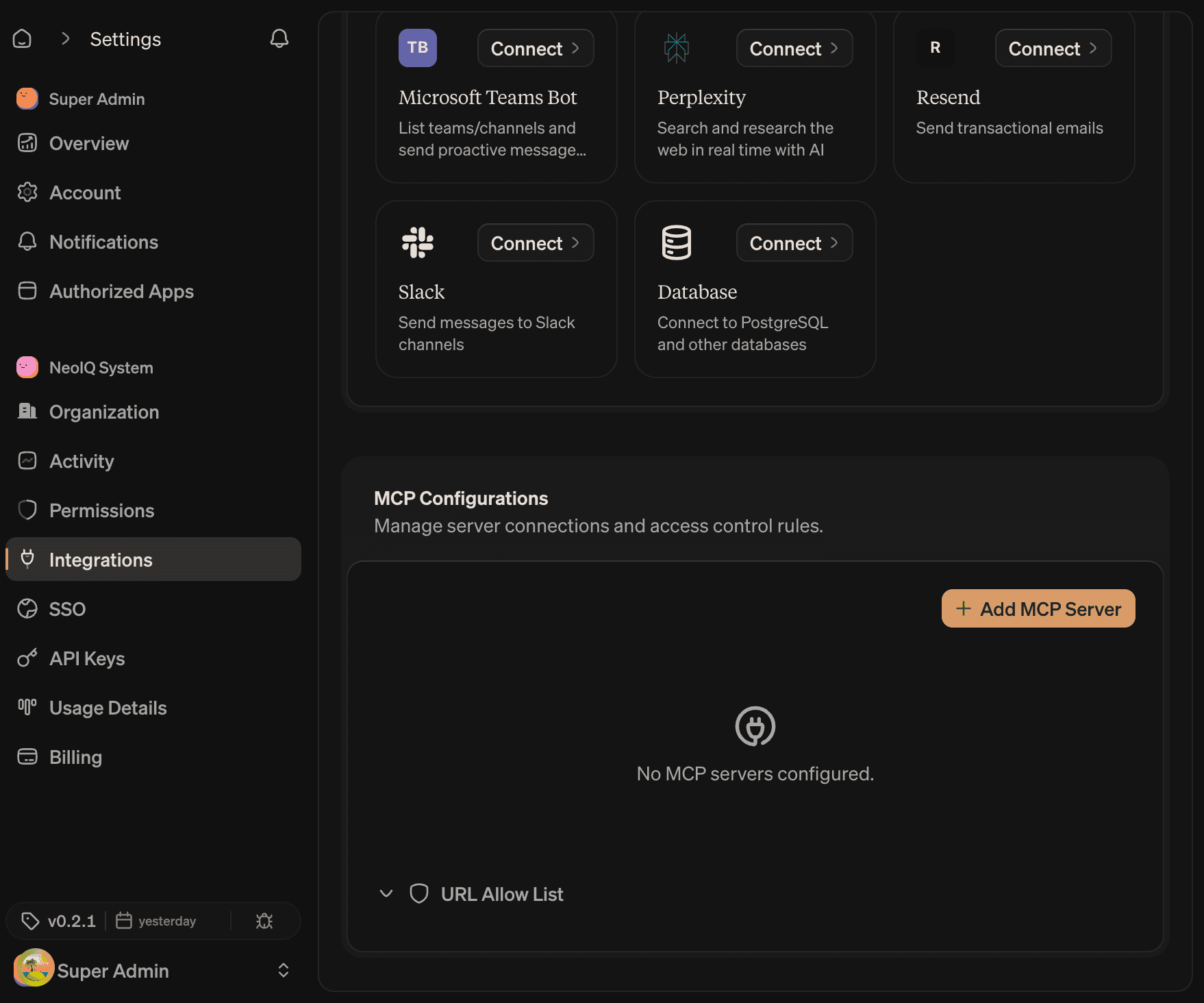
Open Organization settings → MCP. The MCP page manages servers and the URL allow list.
MCP (Model Context Protocol) lets agents and tools read or write through approved servers. NeoIQ acts as an MCP client and can also expose its own MCP server.
Scope
Every server has a scope that controls who can use it.
| Scope | Who can use it |
|---|---|
| System | Catalog servers shipped with NeoIQ. Read-only on this page. |
| Organization | Shared with everyone in the organization. Created and managed by owners and admins. |
| User | Personal to the signed-in operator. Not visible to other members. |
System servers cannot be edited. Organization and User servers can be created, edited, tested, and removed.
Transport
| Transport | Use it for |
|---|---|
| HTTP | A remote MCP server reachable over HTTPS. Most common. |
| SSE | A remote MCP server using Server-Sent Events for streaming. |
| Stdio | A local MCP server run as a subprocess. Available on User scope only via the local bridge. |
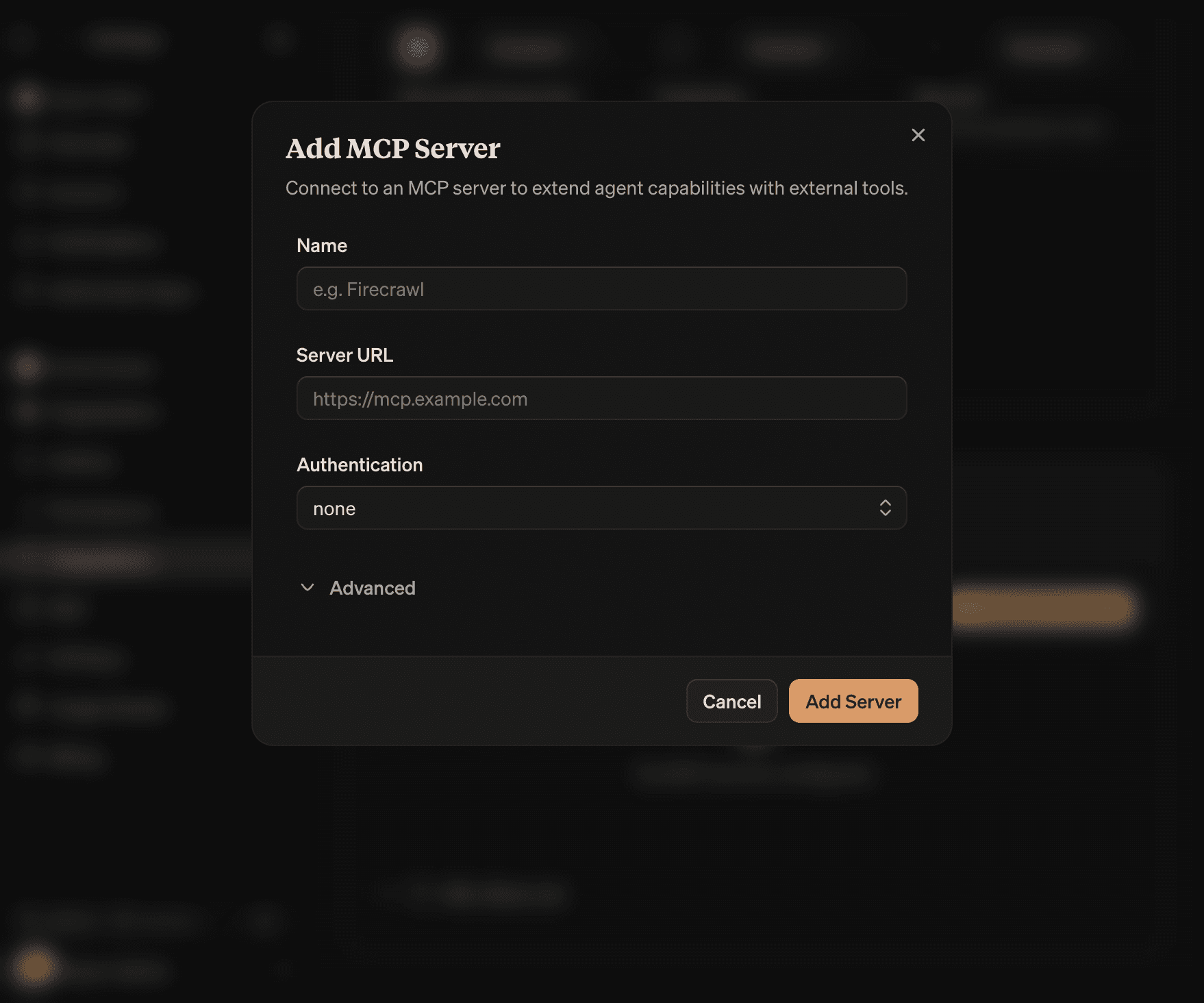
For HTTP and SSE servers, the URL is required. For Stdio, the command and arguments are required.
Authentication
| Auth type | What to provide |
|---|---|
| None | No credentials. |
| Bearer Token | A bearer token sent in the Authorization header. |
| Custom Headers | Arbitrary Header: Value pairs added to every request. |
| OAuth | The server is contacted with an OAuth flow on first authorization. Tokens are stored. |
Bearer tokens and OAuth tokens are stored encrypted on the organization or operator account.
Server actions
Each server row supports:
- Test connection. Sends a probe to confirm the URL, transport, and auth are valid.
- Discover capabilities. Pulls the list of tools, resources, and prompts the server exposes.
- Authorize. Starts the OAuth flow when auth type is OAuth. Opens a new browser tab.
- Edit. Updates the server configuration.
- Remove. Deletes the server.
URL allow list
The allow list is a separate card on the MCP page. It controls which URLs MCP servers can call when used inside the organization.
The list has three rule types:
| Rule type | Effect |
|---|---|
| Allow | The URL or pattern is permitted. Patterns support wildcards (*.example.com). |
| Deny | The URL is blocked. Deny rules are checked first and override allow rules. |
| System | Built-in rules from NeoIQ. Read-only. |
Add a deny rule when an MCP server points at a URL that should not be reachable from the organization. The deny list is the right place to enforce egress policy.
Before connecting an MCP server
- Confirm the server owner.
- Confirm which tools the server exposes (read, write, or trigger external action).
- Check whether the tools touch personally identifiable information.
- Test with a narrow scope before broad rollout.
- Add the server to the allow list if egress policy is in effect.
External integrations
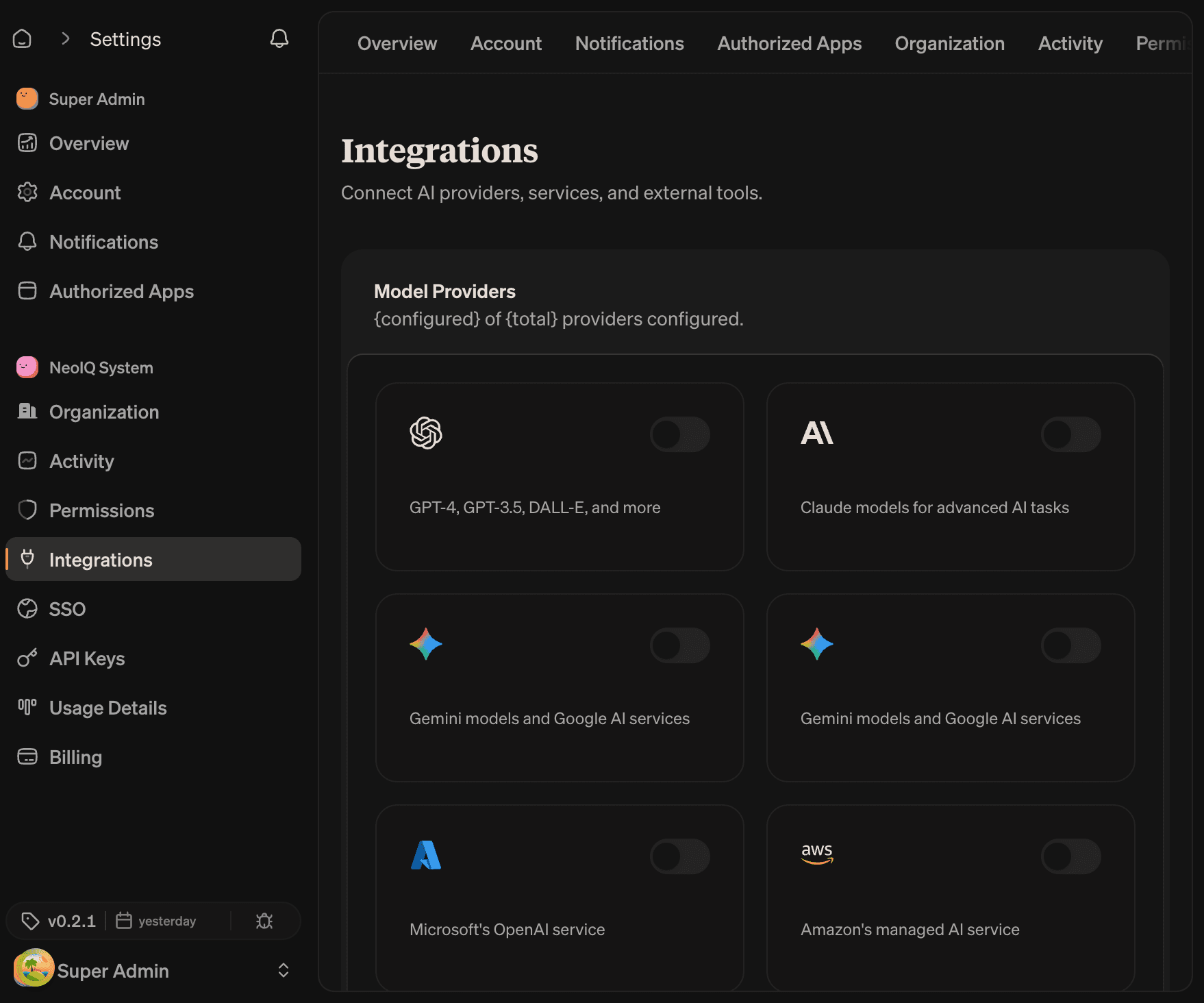
Open Organization settings → Integrations.
Integrations connect NeoIQ to external services. The page groups them by category.
Categories
| Category | Examples |
|---|---|
| AI providers | OpenAI, Anthropic, Google, Mistral, and other LLM providers. |
| Workflow integrations | Slack, Discord, webhook destinations. |
| Database connections | PostgreSQL connections used to import or sync data. |
| Storage and assets | External storage providers used by Creative Lab and asset pipelines. |
Per-integration actions
Each integration row supports:
- Add. Opens the configuration dialog for that integration.
- Edit. Updates the configuration. Credentials can be rotated.
- Test connection. Confirms the integration is reachable with the current credentials.
- Disable. Turns the integration off without deleting it. Keeps the configuration for later.
- Delete. Removes the integration and its credentials.
What to record per integration
For every integration the organization keeps, record:
- Owner.
- Purpose.
- Data touched.
- Permission scope.
- Last review date.
- Renewal or rotation cadence.
If the integration affects Brand Brain, Brand Guard, billing, or member access, review it with the owner before enabling it for the organization.
Review cadence
Review security and integrations at these moments:
- Before a launch.
- Before procurement renewal.
- After member offboarding.
- After SSO or identity-provider changes.
- After adding an integration that can write data.
- Quarterly, regardless of the above.
Brand Guard records output approvals. Organization security records who and what can reach the system. Both are audit evidence.
Read next
- Members and roles. Roles and access groups grant access; security keeps it scoped.
- Settings. Activity records every security and integration event.
- Billing and usage. Plan tier determines whether SSO and SCIM are available.